
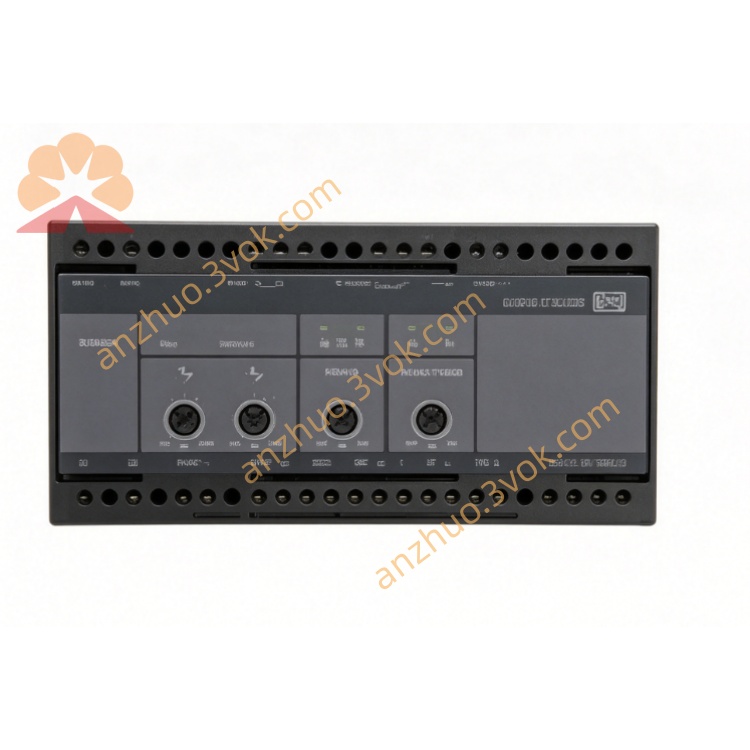
100031593.1
Description
1. Product Overview
2. Key Features
12 Digital I/O Channels: Configurable as input or output (24 VDC).
4 Analog Inputs: 0–10 VDC or 4–20 mA selectable range.
High‑Speed Operation: Digital I/O response time <1 ms.
Wide Supply Voltage: 12–24 VDC ±20%.
Industrial Grade: Operating temperature –40 °C to +70 °C.
Vibration & Shock Resistant: 2.1 g vibration, 50 g shock.
Communication Interface: RS‑485 (Modbus RTU) for easy integration.
LED Status Indicators: Per‑channel diagnostics for quick troubleshooting.
Compact Design: DIN‑rail mountable for space‑saving installation.
Galvanic Isolation: 2 kV isolation between I/O and power supply.
3. Technical Specifications
3.1 General
| Parameter | Specification |
|---|---|
| Model | 100031593.1 (LSU‑112DG) |
| Manufacturer | DEIF A/S |
| Type | Direct I/O expansion module |
| Digital I/O | 12 channels (configurable in/out) |
| Analog Inputs | 4 channels (0–10 VDC / 4–20 mA) |
| Communication | RS‑485 (Modbus RTU) |
| Supply Voltage | 12–24 VDC ±20% |
| Power Consumption | ≤ 15 W |
3.2 Digital I/O
| Parameter | Specification |
|---|---|
| Input Voltage | 24 VDC (±10%) |
| Input Current | 10 mA (typical) |
| Output Type | Sink/source selectable |
| Output Rating | 24 VDC, 0.5 A per channel |
| Response Time | <1 ms |
| Isolation | 2 kV (I/O to supply) |
3.3 Analog Inputs
| Parameter | Specification |
|---|---|
| Voltage Range | 0–10 VDC (input impedance >100 kΩ) |
| Current Range | 4–20 mA (input impedance 50 Ω) |
| Resolution | 12‑bit (0.025% FS) |
| Accuracy | ±0.1% FS (25 °C) |
| Sampling Rate | 100 Hz per channel |
3.4 Environmental & Mechanical
| Parameter | Specification |
|---|---|
| Operating Temperature | –40 °C to +70 °C |
| Storage Temperature | –40 °C to +85 °C |
| Humidity | 97% RH (non‑condensing) |
| Protection Class | IP20 (terminals), IP40 (housing) |
| Dimensions (W×H×D) | 110 × 75 × 45 mm |
| Weight | Approx. 0.5 kg |
| Mounting | DIN‑rail (35 mm) or panel mount |
4. Application Scope
Power Generation: Genset control, grid monitoring, and protection systems.
Marine Systems: Engine room automation, alarm monitoring, and safety systems.
Renewable Energy: Wind turbine control, solar plant monitoring, and energy storage systems.
Industrial Automation: Factory I/O expansion, machine control, and process monitoring.
Building Automation: HVAC control, lighting management, and security systems.
5. Installation & Wiring
5.1 Installation Requirements
Mounting: Install on a standard 35 mm DIN‑rail or panel using 2 × M4 screws.
Clearance: Allow ≥20 mm clearance on all sides for ventilation.
Environment: Avoid direct sunlight, dust, moisture, and corrosive gases.
ESD Protection: Discharge static electricity before handling (PCB is ESD‑sensitive).
5.2 Terminal Wiring
5.2.1 Power & Communication
| Terminal | Description |
|---|---|
| +V / GND | 12–24 VDC power supply |
| A / B | RS‑485 (Modbus RTU) |
| GND | Communication ground |
5.2.2 Digital I/O (CH1–CH12)
| Terminal | Description |
|---|---|
| CHx | Digital input/output channel x |
| COM | Common for digital I/O (24 VDC) |
5.2.3 Analog Inputs (AI1–AI4)
| Terminal | Description |
|---|---|
| AIx+ / AIx– | Analog input channel x (voltage/current) |
| GND | Analog ground |
5.3 Wiring Notes
Power Cables: Use 1.5 mm² copper wires for power circuits; tighten terminals to 0.8–1.0 Nm.
Communication: Use shielded twisted‑pair cable for RS‑485; ground shield at one end only.
Analog Inputs: Use shielded cable for analog signals to reduce noise.
Digital Outputs: Do not exceed 0.5 A per channel; use freewheeling diodes for inductive loads.
6. Operation & Configuration
6.1 Front Panel Indicators
PWR: Solid green = power supply OK.
RUN: Flashing green (1 Hz) = normal operation.
FAULT: Solid red = communication error or overvoltage.
CH1–CH12: Yellow LEDs = digital I/O status (on = active).
AI1–AI4: Green LEDs = analog input activity.
6.2 Configuration Steps (DEIF PC Tool)
Connect: Use RS‑485 cable to connect the module to a PC.
Install: Download and install DEIF LSU‑112DG Configuration Tool (free from www.deif.com).
Connect to Device: Select the module from the device list (default Modbus address: 1).
Set Parameters:
Digital I/O Mode: Configure CH1–CH12 as input or output.
Analog Input Range: Select 0–10 VDC or 4–20 mA for each AI channel.
Modbus Settings: Set baud rate (9600–115200 bps), address, and parity.
Filter Settings: Enable digital filtering for analog inputs (0–10 s).
Write Config: Download settings to the module.
Verify: Check RUN LED and communication status.
6.3 Normal Operation
Power‑Up: The module initializes; PWR and RUN LEDs illuminate.
I/O Monitoring: Digital inputs/outputs and analog inputs are continuously monitored.
Communication: The module exchanges I/O data with the master controller via Modbus RTU.
Fault Handling: On fault (e.g., communication loss, overvoltage), FAULT LED illuminates; the module enters safe state.
7. Safety Precautions
Electrical Hazard: Only qualified electricians may install or service the module.
Overvoltage Protection: Do not exceed 30 VDC on power terminals.
Short‑Circuit Risk: Avoid short‑circuiting digital output terminals.
Environmental Limits: Operate only within –40 °C to +70 °C.
No Unauthorised Modification: Do not open the enclosure; voids warranty and risks electric shock.
8. Maintenance
8.1 Regular Maintenance (Every 12 Months)
Visual Inspection: Check for loose terminals, damaged wiring, or discolouration.
Cleaning: Remove dust from vents with low‑pressure compressed air.
Terminal Tightness: Retorque terminals to 0.8–1.0 Nm.
I/O Test: Verify digital I/O and analog input functionality.
Communication Test: Verify RS‑485 communication and data exchange.
9. Troubleshooting
| Fault Phenomenon | Possible Cause | Solution |
|---|---|---|
| PWR LED Off | No power supply / wrong polarity | Check wiring; verify supply voltage. |
| FAULT LED On | Communication error / Overvoltage | Check RS‑485 wiring; verify supply voltage. |
| Digital I/O Not Working | Misconfiguration / Wiring fault | Check I/O mode settings; verify wiring. |
| Analog Input Inaccurate | Noise / Wrong range selection | Use shielded cable; check input range settings. |
| Communication Loss | Wrong Modbus address / Baud rate mismatch | Verify address and baud rate; check wiring. |
10. Warranty & Disclaimer
Model: 100031593.1 (LSU‑112DG) Direct I/O Module.
Warranty Period: 24 months from delivery (normal installation/use per manual).
Warranty Exclusions: Misuse, overvoltage, lightning, water ingress, unauthorised modification, or operation outside environmental limits.
Specifications Subject to Change: Manufacturer reserves the right to update specifications without notice.
Get a Quote