
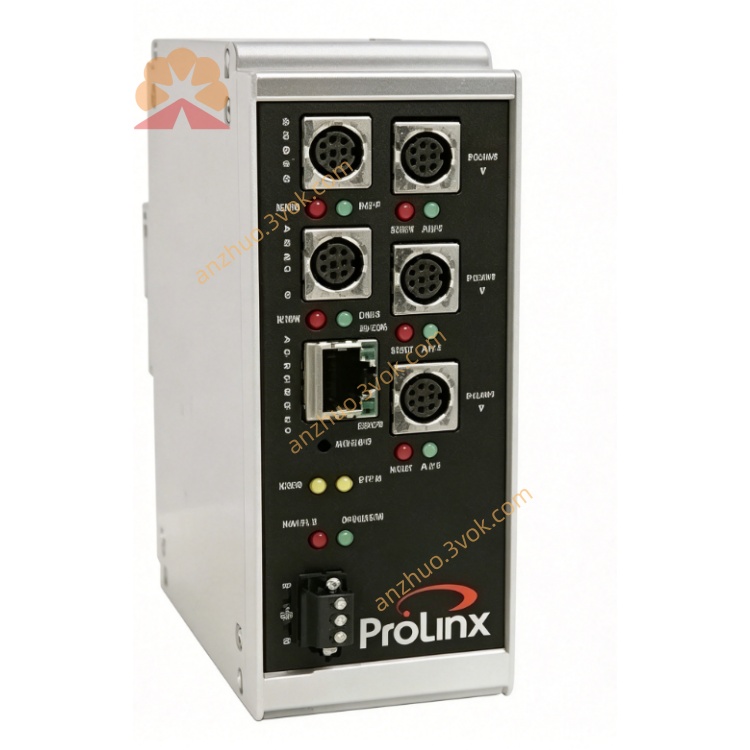
5202-DFNT-DFCM4
Description
1. Product Overview
2. Main Features
Fully compliant with standard EtherNet/IP communication protocol, support client and server modes
Built-in 4 independent isolated DF1 serial ports, each port works independently without mutual interference
Each DF1 port supports master and slave working modes, full duplex and half duplex communication
Support DF1 standard frame and extended frame format, BCC and CRC checksum optional
Flexible serial communication parameters can be configured separately for each channel
Massive data point mapping function, convenient data exchange between EtherNet/IP tags and DF1 registers
Powerful communication diagnosis function, real-time monitoring port running status and fault information
Industrial grade optical isolation design, effectively suppress on-site surge and electromagnetic interference
Support online configuration modification, firmware upgrade and remote maintenance
Wide temperature range design, stable operation in harsh industrial environment
3. Technical Specifications
3.1 Power Supply
3.2 EtherNet/IP Ethernet Interface
3.3 Four-channel DF1 Serial Interface
3.4 Environmental Parameters
3.5 Physical Parameters
4. LED Status Indication
5. Installation and Wiring Instructions
Install the gateway firmly on the DIN rail inside the control cabinet
Connect 24VDC stable power supply according to wiring definition
Connect EtherNet/IP network cable to Ethernet port to access upper industrial control system
Connect different DF1 serial devices to four independent serial channels respectively
Use dedicated configuration software to set Ethernet parameters and four-channel serial parameters
Configure DF1 station address, communication mode and cross-network data mapping relationship
Download configuration program, restart the device and complete multi-channel communication debugging
6. Communication Function
Realize EtherNet/IP system reading data of four groups of DF1 serial devices at the same time
Distribute control commands from upper EtherNet/IP host to each DF1 field equipment
Realize unified networking and centralized management of multiple old AB serial devices
Support real-time upload of equipment operating data, operating status and fault alarm signals
Each channel operates independently, which will not affect other normal communication when single channel fails
7. Application Scope
Multi-station AB old DF1 PLC equipment networking transformation project
On-site multiple serial frequency converters, instruments and sensors unified access control system
Automobile industry production line multi-channel serial equipment centralized monitoring
Chemical, metallurgy, water treatment and other industries old automation system upgrade
Intelligent workshop multi-bus mixed networking data integration scheme
Large-scale factory distributed serial equipment remote centralized monitoring system
8. Safety Notes
All wiring operations must be completed under power-off state
Use shielded twisted pair wires for DF1 serial signal lines
Reasonably set communication parameters to ensure consistent parameters at both communication ends
It is strictly prohibited to use the equipment beyond the specified voltage and temperature range
Reasonably arrange wiring paths to avoid strong current interference signal lines
Professional automation technicians are required to complete multi-channel parameter configuration and communication debugging
Get a Quote