
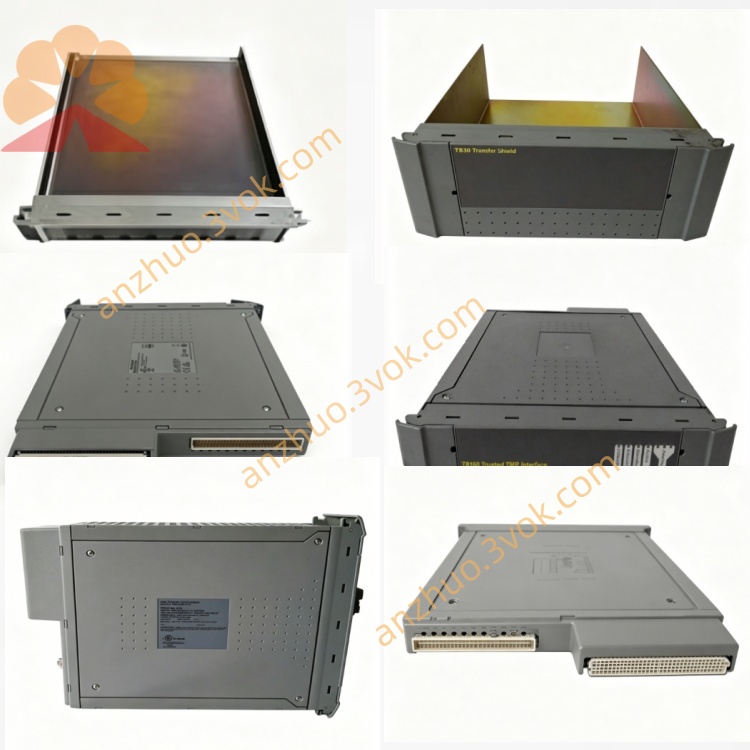
T8314C
Description
Purpose: Convert copper Expander Bus (IMB) signals to single‑mode fibre for long‑distance TMR communication (up to 10 km)
Coating: Conformal coated PCB (acrylic resin) for harsh environments
Architecture: TMR Grey Channel (3 independent units per link)
Safety: IEC 61508 SIL 3 / SIL 4 certified
Max Distance: 10 km (single‑mode fibre, 9/125 µm)
Data Rate: 100 Mbps full‑duplex
2. Product Overview
Conformal coated PCB assembly (improved humidity/chemical resistance)
Dual 24 V DC diode‑ORed redundant power inputs
SC fibre connectors (Tx/Rx) for single‑mode fibre
100 Mbps copper‑to‑fibre signal conversion for Expander Bus
Extended temperature range vs standard T8314
Low power consumption (≤1.7 W)
3. Specifications
3.1 Mechanical
Form Factor: DIN‑rail mount (EN 60715)
Dimensions (H×W×D): 125 mm × 35 mm × 110 mm
Weight: 0.8 kg (1.76 lbs)
Enclosure: Industrial plastic, IP30
PCB Protection: Conformal coated (acrylic resin)
Connectors:
Fibre: SC/PC (Tx / Rx)
Power: 6‑pin terminal block
IMB: 9‑pin D‑sub
3.2 Electrical
Supply Voltage: 20–32 V DC (nominal 24 V DC)
Power Input: Dual, diode‑ORed (redundant)
Power Consumption: ≤1.7 W
Copper Interface: Expander Bus (IMB), differential
Fibre Interface: 100 Mbps, single‑mode
Transmit Power: ≥ –15 dBm
Receive Sensitivity: ≤ –28 dBm
Isolation: 2500 V DC (copper ↔ fibre)
3.3 Fibre Optic
Fibre Type: Single‑mode (9/125 µm)
Connector: SC (Subscriber Connector)
Max Distance: 10 km (link budget: 13 dB)
Wavelength: 1310 nm
3.4 Environmental (Enhanced for T8314C)
Operating Temp: –40 °C to +70 °C (–40 °F to 158 °F)
Storage Temp: –40 °C to +85 °C (–40 °F to 185 °F)
Humidity: 5–95 % RH, non‑condensing
Altitude: ≤ 2000 m
Vibration: IEC 60068‑2‑6 (1 g, 10–150 Hz)
Shock: IEC 60068‑2‑27 (15 g, 11 ms)
Coating Benefit: Withstands condensation, salt mist, and chemical vapours (e.g., H₂S, ammonia)
3.5 Performance
Data Rate: 100 Mbps full‑duplex
Latency: < 1 µs
Bit Error Rate (BER): < 10⁻¹²
Channels: 3 independent (Grey Channel for TMR)
4. Front Panel & Connectors
4.1 Front Panel (LEDs)
PWR (Green): On = 24 V DC OK; Off = No power
LINK (Green): On = Fibre link up; Flashing = Data activity
FAULT (Red): On = Link loss / power fault / signal error
4.2 Front Connectors
SC‑Tx: Fibre transmit (to remote Rx)
SC‑Rx: Fibre receive (from remote Tx)
4.3 Rear Connectors
PWR: 6‑pin terminal block (24 V DC, redundant)
IMB: 9‑pin D‑sub (Expander Bus copper interface)
5. Compatibility & System Architecture
5.1 Compatible Controllers
T8100: Trusted Processor Chassis
T8400: Trusted Controller Chassis
5.2 Compatible Expander Modules
T8310: Expander Processor
T8311C: Expander Interface Module
T8312‑4 / T8312‑7: Expander Adaptor Units
5.3 Compatible Expander Chassis
T8300: 6U Expander Chassis (14 I/O slots)
5.4 TMR System Topology
Local End: T8311C → T8312 → 3 × T8314C (copper → fibre)
Fibre Link: 3 × single‑mode fibres (10 km max, routed separately for isolation)
Remote End: 3 × T8314C (fibre → copper) → T8312 → T8300
6. Installation
6.1 DIN‑Rail Mounting
Clip T8314C onto standard DIN rail (top first, then bottom).
Push down until latch clicks (secure).
Mount in well‑ventilated area; avoid direct heat/condensation.
6.2 Power Wiring
Connect 24 V DC to PWR terminal block (redundant inputs).
Use 18–22 AWG stranded wire; torque to 0.5–0.6 Nm.
Verify PWR LED is ON after power‑up.
6.3 Copper (IMB) Connection
Connect TC‑301 copper cable to IMB D‑sub on T8314C rear.
Connect other end to T8312‑4 / T8312‑7 ODU port.
Tighten D‑sub screws (hand‑tight only).
6.4 Fibre Connection
Clean SC connectors with lint‑free cloth + isopropyl alcohol.
Insert Tx fibre → SC‑Tx; Rx fibre → SC‑Rx.
Push until click (positive lock).
At remote end, cross‑connect (local Tx → remote Rx; local Rx → remote Tx).
Verify LINK LED steady ON after 10–30 seconds.
6.5 TMR Installation Note
Use three T8314C units per TMR link; route fibre cables separately to avoid common‑mode faults.
7. Operation & Diagnostics
Power‑up: PWR ON; LINK flashes during sync (10–30 s).
Normal Operation: PWR + LINK steady GREEN; FAULT OFF.
Fault Conditions:
FAULT ON: Fibre link loss, power failure, or signal error.
LINK Flashing: Normal data activity.
Diagnostics: Faults logged to system HMI; LEDs provide local status.
8. Maintenance & Troubleshooting
8.1 Routine Maintenance (Harsh Environment Focus)
Quarterly: Check LEDs; inspect SC connectors for dirt/corrosion.
Annually: Clean SC connectors; verify DIN rail/wiring tightness; check conformal coating for damage.
8.2 Common Issues
PWR LED Off: Check 24 V DC supply; verify redundant wiring.
LINK LED Off: Clean SC connectors; check fibre continuity; swap Tx/Rx.
FAULT LED On: Replace T8314C; inspect fibre for breaks/bends.
Intermittent Link: Check fibre bend radius (min 30 mm); re‑seat connectors.
9. Safety & Compliance
Install only in Trusted T8000 SIS environments.
Comply with IEC 61508 SIL 3 / SIL 4 system requirements.
Use only single‑mode 9/125 µm fibre; avoid multi‑mode.
Certifications: CE, UL, CSA, ATEX II 3G Ex ec IIC T4 Gc, IECEx, CCC (China).
Get a Quote