
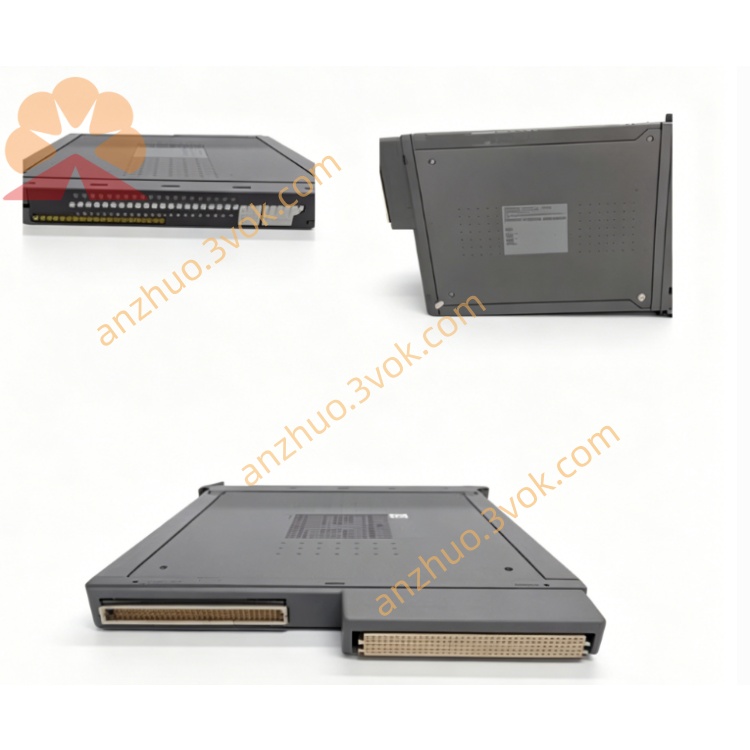
T8100
Description
This appliance must be grounded. Connect only to a properly grounded outlet.
Consult a physician before starting any exercise program, especially if you have pre-existing health conditions.
Keep hands dry when operating controls. Never use wet hands to touch the power switch or console.
Wear appropriate athletic shoes. Do not use the treadmill with bare feet, socks, or loose footwear.
Do not stand on the belt during startup. Always stand on the side rails until the belt reaches the desired speed.
Use the magnetic safety key. Attach it to your clothing before exercising; the belt will stop immediately if the key is pulled out.
Keep children and pets away from the treadmill during operation. Do not leave children unsupervised near the equipment.
Do not use the treadmill outdoors or in humid environments. Avoid exposure to rain, moisture, or direct sunlight for extended periods.
Features
Folding Design: Space-saving structure allows easy storage and movement.
Console Programs: 3 preset programs (P1 Manual, P2 Intervals-Speed, P3 Weight Loss-Speed) for diverse workout needs.
Real-Time Feedback: Tracks Time, Distance, Speed, Calories Burned, and optional Heart Rate (with compatible monitor).
Manual Incline System: 0-10% incline adjustment via side toggle switch for customizable workout intensity.
Quiet Motor: 2.5 HP continuous-duty motor provides smooth, quiet operation for home use.
Stable Running Surface: 20” W × 55” L (50.8 cm × 139.7 cm) non-slip belt ensures comfort and safety.
Assembly Instructions
Unpack all components from the box, including the base frame, console support uprights, console, safety key, power cord, and hardware kit.
Place the base frame on a flat, stable surface. Attach the console support uprights to the base frame using the provided bolts and an Allen wrench. Tighten securely to ensure stability.
Connect the console wiring harness to the corresponding connector on the base frame. Ensure the connection is firm and free of loose wires.
Mount the console onto the top of the support uprights. Align the holes and fasten with screws from the hardware kit.
Insert the magnetic safety key into the console slot. Attach the other end to your workout clothing for safety.
Plug the power cord into a dedicated electrical outlet. Avoid using extension cords or shared circuits to prevent power fluctuations.
Placement & Leveling
Position the treadmill on a flat, level, and sturdy floor. Avoid carpeted surfaces with thick padding, as they may affect stability.
Adjust the leveling feet located on the bottom of the base frame. Turn the feet clockwise or counterclockwise until the treadmill sits evenly with no wobbling.
Leave at least 3 feet (1 meter) of clearance around the treadmill for safe movement and ventilation.
Do not place the treadmill near heat sources, water, or direct sunlight to prevent damage to components.
Console Operation
Power On & Startup
Insert the safety key fully into the console; the console will light up and enter standby mode.
Press the START button to begin the workout. The belt will start moving at 1 MPH (1.6 km/h) by default.
Always stand on the side rails during startup until the belt reaches your desired speed.
Program Selection
Press the PROFILE button to cycle through the 3 preset programs:
P1 Manual: Full user control of speed and incline.
P2 Intervals: Alternates between high-speed and low-speed intervals to boost endurance.
P3 Weight Loss: Gradual speed fluctuations designed to maximize calorie burn.
Press the LEVEL button to set workout difficulty (1-10) for preset programs.
Press the TIME button to adjust workout duration (5-99 minutes).
Press START to confirm and begin the selected program.
Adjusting Settings During Workout
Speed Control: Press the UP or DOWN arrows to adjust speed (0.5-12 MPH / 0.8-19.3 km/h). Each press changes speed by 0.5 MPH.
Incline Adjustment: Locate the toggle switch on the right side of the console support upright. Push up to increase incline (0-10%) and down to decrease.
Pause: Press the STOP button once to pause the workout. The belt will stop, and the console will hold your workout data. Press START to resume.
Reset: Press and hold the STOP button for 3 seconds to reset the console to standby mode. All workout data will be cleared.
Program Descriptions
P1 Manual: Ideal for users who prefer custom workouts. Adjust speed and incline at any time without pre-set intervals.
P2 Intervals: A 24-minute program alternating between 1-minute high-speed bursts and 1-minute low-speed recovery phases. Improves cardiovascular health and speed endurance.
P3 Weight Loss: A 48-minute program with gradual speed increases and decreases to maintain a steady heart rate zone for optimal fat burn.
Maintenance
Regular Cleaning
Vacuum dust and debris from the belt, side rails, and base frame weekly. Use a soft brush attachment to avoid scratching surfaces.
Wipe the console, belt, and frame with a slightly damp cloth after each use to remove sweat and dirt.
Do not use solvents, harsh chemicals, or abrasive cleaners on the deck or belt, as they may damage the lubrication and surface materials.
Dry all surfaces thoroughly after cleaning to prevent moisture damage.
Belt Centering
Run the treadmill at 3-4 MPH (4.8-6.4 km/h) with no user on the belt.
If the belt drifts left: Turn the left rear roller bolt 1/4 turn clockwise and the right rear roller bolt 1/4 turn counterclockwise.
If the belt drifts right: Turn the right rear roller bolt 1/4 turn clockwise and the left rear roller bolt 1/4 turn counterclockwise.
Let the treadmill run for 5 minutes to check alignment. Repeat the process if necessary, but never turn bolts more than 1/4 turn at a time.
Belt Tension
Locate the two rear roller bolts on the back of the base frame.
Turn both bolts 1/4 turn clockwise evenly to increase tension.
Test the treadmill by walking on the belt. If slipping persists, repeat the process.
Do not over-tighten the belt, as this will shorten its lifespan and damage the motor.
Motor & Component Care
Check the motor vents monthly for dust buildup. Vacuum gently to ensure proper ventilation and prevent overheating.
Inspect all wiring connections quarterly. Ensure no wires are frayed, loose, or damaged. Contact an authorized service provider if issues are found.
Lubricate the running deck every 3-6 months (or as needed) with a silicone-based lubricant recommended by the manufacturer.
Troubleshooting
No Power to Console: Ensure the safety key is fully inserted and the power cord is plugged in securely. Check the electrical outlet for power. If the console still does not light, inspect the power cord for damage or contact customer service.
Belt Does Not Move: Confirm the safety key is in place and the console is powered on. Check if the belt is too tight or too loose. If the motor hums but the belt does not move, the drive belt may be broken—contact a service technician.
Belt Slipping: The belt may be loose. Follow the belt tensioning steps in the Maintenance section. If slipping continues, the deck may be worn and need replacement.
Console Displays Incorrect Data: Reset the console by holding the STOP button for 3 seconds. Check if the wiring harness is connected properly. If issues persist, replace the console batteries (if applicable) or contact support.
Unusual Noise During Operation: Check for loose bolts on the frame, console, or support uprights. Tighten any loose hardware. If the noise persists, the motor or bearings may be worn—contact an authorized service provider.
Incline Not Adjusting: Ensure the toggle switch is functioning properly. Check for loose wiring near the incline mechanism. If the switch moves but incline does not change, the incline motor may be faulty—contact service.
Specifications
Motor: 2.5 HP continuous-duty, industrial-grade motor.
Speed Range: 0.5-12 MPH (0.8-19.3 km/h).
Incline Range: 0-10% (manual adjustment).
Running Surface: 20” W × 55” L (50.8 cm × 139.7 cm).
Folded Dimensions: 29” W × 70” H × 55” D (73.7 cm × 177.8 cm × 139.7 cm).
Assembled Dimensions: 70” L × 29” W × 51” H (177.8 cm × 73.7 cm × 129.5 cm).
Net Weight: 185 lbs (83.9 kg).
Maximum User Weight: 300 lbs (136.1 kg).
Power Requirements: 120V AC, 60Hz, 15A dedicated circuit.
Get a Quote