
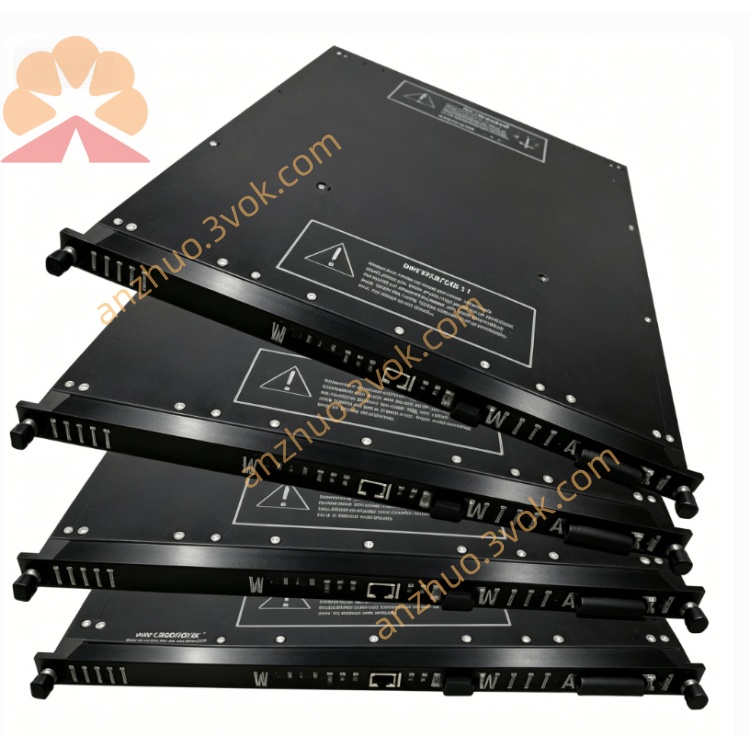
4351A
Description
I. Product Introduction (4351A)
Model: 4351A
Full Name: Tricon Communication Module (TCM Communication Module)
Brand: TRICONEX (Schneider Tricon SIS System)
Position: Specialized and high-performance TMR triple-redundant communication card for Tricon v10, SIL3
Usage: Achieve high-speed Ethernet + serial port communication between Tricon SIS and DCS/PLC/HMI/Modbus devices.
Basic parameters
System compatibility: Only Tricon v10.0 and above (incompatible with v9)
Redundancy architecture: TMR triple redundancy (consistent with Tricon controller)
Safety level: SIL3 (IEC 61508) Port:
2 × Ethernet (RJ45): 10/100 Mbps
4 × Serial ports (DB9): RS-232/422/485 (software selectable)
Port isolation: 500 VDC full isolation (anti-interference, lightning protection)
Serial port rate: Maximum 115.2 kbps
Power consumption: Approximately 5 W (powered by 5VDC backplane)
Temperature: -40℃ ~ +70℃ (industrial wide temperature range)
Weight / Size: Approximately 4.5 kg, standard Tricon full-length card
2) Supported protocols (most commonly used)
Ethernet (NET1/NET2):
Modbus TCP (master / slave)
TriStation (configuration / maintenance)
TSAA (Tricon peer-to-peer communication)
SNTP (time synchronization)
TCP/IP, ICMP, Peer-to-Peer
Serial ports (COM1–COM4):
Modbus RTU (master / slave)
TriStation maintenance serial port
3) Compared with previous models (easy to understand at a glance)
4119A: Older model, only serial ports, low speed, v9/v10
4315B: v9/v10 universal, 2 networks + 4 serial ports, basic model
4351A: v10 dedicated, full isolation, wide temperature range, highest performance, SIL3 preferred
II. Usage instructions (installation / configuration / maintenance / fault handling)
1) Installation and mounting
Slot requirements:
Both Tricon main / expansion chassis are acceptable
Logical slots: Up to 2 boards / system (2 logical TCM slots)
Physical slots: Any free I/O slot (full-length card)
Hot swapping: Supports online replacement without downtime
Grounding: Reliable connection between module enclosure and cabinet ground (key to anti-interference)
Cables:
Ethernet: Standard 5e/6 category shielded cables
Serial ports: DB9 shielded cables, RS-485 recommended terminal resistor 120Ω
2) TriStation configuration (v10)
Hardware identification:
After inserting the module and powering on, TriStation automatically identifies as 4351A TCM
Network port configuration (NET1/NET2):
Set static IP (recommended, SIS does not recommend DHCP)
Subnet mask, gateway, DNS
Enable Modbus TCP master / slave (as needed)
Serial port configuration (COM1–COM4):
Mode: RS-232 / RS-422 / RS-485
Baud rate: 9600 / 19200 / 115200 (common)
Data bits / parity / stop bits: 8N1 (default)
Enable Modbus RTU master / slave (as needed)
Redundancy and synchronization:
Dual network ports can be used for network redundancy or independent network segments
NET1 supports Peer-to-Peer and SNTP time synchronization
3) Indicator light meanings (panel, quick diagnosis)
PASS: Green constantly on = module normal
FAULT: Red = fault (hardware / communication / configuration)
ACTIVE: Green flashing = communication activity
LINK1/LINK2: Network port link
TX/RX: Serial port receive and transmit
4) Daily maintenance
Regular inspection: Indicator lights, terminal blocks, shielding grounding
Firmware upgrade: TriStation online upgrade (keep with controller firmware consistent)
Backup: Regularly export TCM configuration
5) Common faults and handling
RED light of FAULT constantly on
Reason: Firmware mismatch, slot error, hardware damage Handling: Verify v10 firmware, change slot position, hot-swappable replacement
Network port not connected (LINK indicator not lit)
Reason: Network cable / switch / IP conflict
Handling: Change cable, check switch, verify IP
Modbus communication unstable
Reason: Baud rate mismatch, interference, missing terminal resistor
Handling: Uniform parameters, enhance shielding, add 120Ω at both ends of RS-485
Get a Quote