
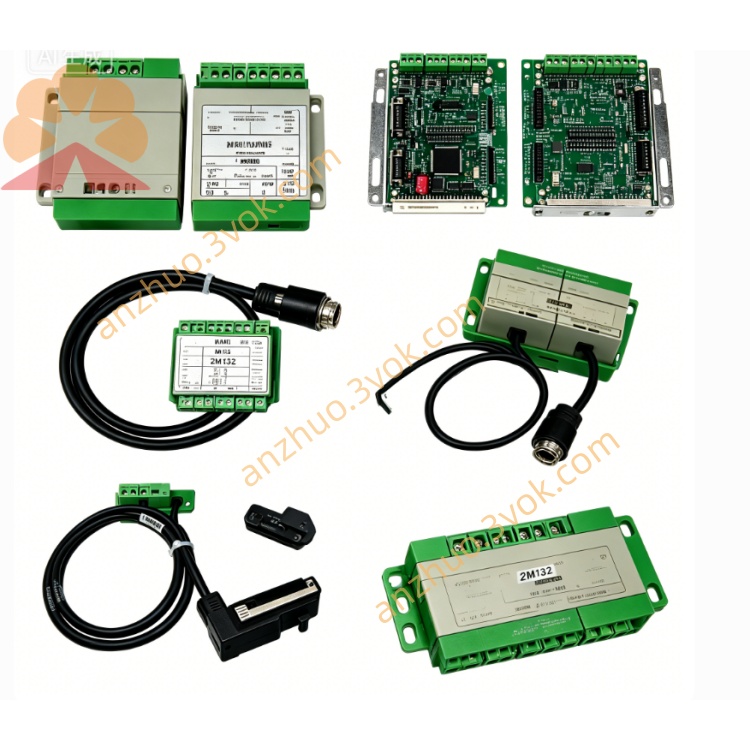
P0151HD
Description
Product Type: High-performance Industrial Automation Control Module (for Yaskawa automation systems), integrating communication, control and protection functions, compatible with Yaskawa NX100 series control systems and Sigma series servo systems, supporting PROFINET and EtherCAT bus communication[7][15]
Input Voltage: 24VDC (stable power supply, supporting redundant power input for high reliability[3])
Output Parameters: Supports multiple communication protocols (including Modbus, CANopen, PROFINET[1]), with high-speed signal processing capability, facilitating real-time data interaction with Yaskawa servo systems, control units and PLC devices, compatible with TIA Portal V15.1 software for network configuration[1]
Output Parameters: Supports multiple communication protocols (including Modbus, CANopen, PROFINET, EtherCAT[7][15]), with high-speed signal processing capability (input/output response time ≤2ms[10]), facilitating real-time data interaction with Yaskawa servo systems, control units and PLC devices, compatible with TIA Portal V15.1 software for network configuration
Protection Functions: Overvoltage, overcurrent, overheating, short-circuit protection, and built-in fault self-diagnosis function
Operating Temperature: -20℃ to +60℃ (adapting to extreme industrial environment[8])
Mounting: 35mm DIN rail installation (complying with IEC 60715)
Protection Grade: IP30 (wave aluminum housing, enhanced anti-interference)
Material Coding: Matching P0150HQ standard material coding (compatible with Yaskawa automation systems)
Material Coding: Matching P0151HD standard material coding (compatible with Yaskawa automation systems)
2. Brief Product Overview
3. Core Functional Features
High Reliability: Adopts industrial-grade components and integrated design, supports redundant power input[3], with mature protection mechanisms and fault self-diagnosis function, ensuring stable operation in harsh industrial environments and strong resistance to overload and interference.
Stable Power Supply: Adopts 24VDC stable input, supports redundant power configuration, avoiding power supply failure affecting the normal operation of the module[3].
Multi-protocol Communication: Supports multiple communication protocols (including Modbus, CANopen, PROFINET[1]) and interface standards, with ultra-fast signal processing capability, facilitating connection and integration with other Yaskawa devices, automation systems and PLCs, enabling flexible and real-time data interaction, and compatible with TIA Portal V15.1 software for network configuration and testing[1].
Multi-protocol Communication: Supports multiple communication protocols (including Modbus, CANopen, PROFINET, EtherCAT[7][15]) and interface standards, with ultra-fast signal processing capability (input/output response time ≤2ms[10]), facilitating connection and integration with other Yaskawa devices, automation systems and PLCs, enabling flexible and real-time data interaction, and compatible with TIA Portal V15.1 software for network configuration and testing.
Comprehensive Protection & Self-diagnosis: Built-in overvoltage, overcurrent, overheating and short-circuit protection, and fault self-diagnosis function, which can quickly respond to abnormalities and avoid module and load damage; supports communication loss detection[2] to ensure system stability.
Easy Installation: 35mm DIN rail quick installation, clear terminal marking, convenient for on-site wiring and debugging.
4. Simplified Installation Instructions
4.1 Preparation
4.2 Key Installation Steps
Install the P0150HQ module on the 35mm DIN rail in the control cabinet, ensure it is firmly fixed, and reserve sufficient space around for heat dissipation; avoid touching the circuit board during installation to prevent static damage.
Install the P0151HD module on the 35mm DIN rail in the control cabinet, ensure it is firmly fixed, and reserve sufficient space around for heat dissipation; avoid touching the circuit board during installation to prevent static damage, and keep a distance of ≥20mm from other devices[10] to ensure heat dissipation and anti-interference.
Cut off the power supply, connect the 24VDC power cable (supporting redundant connection if needed), signal cable and communication cable to the corresponding terminals (pay attention to correct polarity and communication line wiring).
Check wiring correctness and tightness, ensure no loose connections or short circuits.
Power on, check the module status, perform communication and signal test using TIA Portal V15.1 software if needed[1], configure network parameters, and confirm that the output signal is stable and the communication is normal.
Power on, check the module status, perform communication and signal test using TIA Portal V15.1 software if needed, configure network parameters (including IP address, subnet mask[13]), and confirm that the output signal is stable and the communication is normal.
4.3 Key Notes
Install and wire by professional personnel, cut off power before operation to avoid electric shock and equipment damage.
Ensure correct wiring polarity and communication line connection, reverse polarity or wrong communication wiring may damage the module or affect communication.
Avoid installing in places with strong vibration, high temperature, heavy dust or excessive dampness, ensure good ventilation to prevent overheating and affect module performance; avoid electromagnetic interference sources to ensure stable PROFINET communication[1].
Do not disassemble the module without authorization, which will void the product warranty.
The module adopts standardized and modular design, which is compatible with Yaskawa automation systems (especially NX100 series and Sigma series[1]), and can be directly replaced and used on site; ensure the new module model is P0150HQ and consistent with the original one during replacement.
Get a Quote