
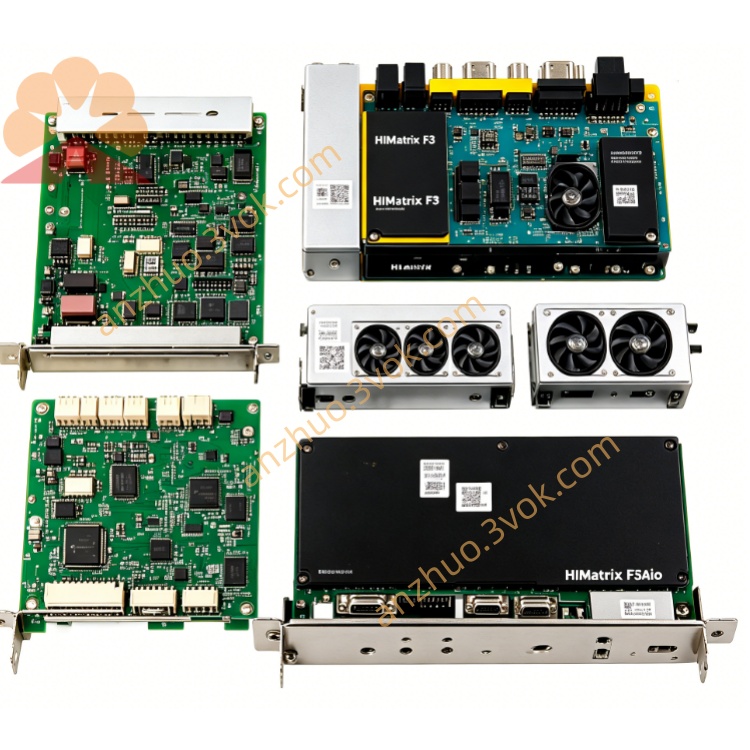
F8620
Description
F8620 (HIMA Safety CPU Module)
I. Product Overview
Model: F8620 (Common sub-models: F8620/11, F8620/4)
Brand: HIMA (Germany's黑马)
Product Type: SIS System Safety Controller / CPU Module (Core Control Unit)
Applicable Systems: HIMA H51q-HS and other safety instrument systems (SIS)
Safety Level: IEC 61508 SIL3, TÜV Certification (in some scenarios, up to SIL4)
Core Functions: As the core controller of the SIS system, it performs safety logic operations, I/O control, communication interaction, and fault self-diagnosis, ensuring the reliable operation of critical safety circuits such as emergency stop (ESD) and burner management (BMS).
Part Number: 984862004 (F8620/4), 984862011 (F8620/11)
Installation Method: Standard sub-rack slot installation
Protection Grade: IP20
Weight: Approximately 0.16kg
II. Technical Specifications
(1) Core Performance
Processor: Triple Module Redundancy (TMR) architecture, 3 independent CPU channels, Intel 386EX 32-bit or ARM Cortex-A9 dual-core, with a main frequency of 1.2GHz
Memory: 1MB Flash-EPROM (program), 1MB SRAM (data); optional 1GB RAM/512MB flash
Processing Cycle: ≤ 20ms (safety response)
SOE Record: 5000 events, 1ms timestamp resolution
(2) Electrical Specifications
Input Voltage: 5VDC (120mA), 24VDC (200mA)
Insulation Voltage: 500V AC/1min (input - ground / communication port - ground)
Protection Features: Overvoltage, undervoltage, reverse connection, over-temperature, short-circuit protection
(3) Communication Interfaces
Ethernet: 1×RJ45, supports Ethernet TCP/IP
Serial Port: 2×RS-485, supports Modbus RTU, Profibus DP-V1
System Bus: HIMA dedicated safety bus (connects I/O modules, redundant)
(4) Environmental Specifications
Operating Temperature: -25℃ ~ +85℃
Storage Temperature: -40℃ ~ +85℃
Relative Humidity: 5%~95%, no condensation
Anti-Vibration / Shock: Complies with IEC 60068 standard
III. Core Functions
Safety Logic Control: TMR architecture ensures single-point failure does not affect operation, executes ESD interlocks, BMS extinguishing protection, etc. safety procedures.
Full Link Self-Diagnosis: Real-time detection of CPU, memory, communication, I/O interface status, faults automatically alarm and record, supports online diagnosis.
Redundant Communication: Dual RS-485 + dedicated safety bus redundancy, network failure automatic switching, data not lost.
Hot Swap Support: Online replacement of modules, system no downtime, after replacement, program and data automatically synchronize.
Event Traceback: SOE function records all switch actions and system events, facilitating fault analysis and compliance auditing.
IV. Installation and Wiring
(1) Installation Steps
Environmental Check: No corrosive gases, no strong electromagnetic interference (far away from frequency converter / large contactors), reserve ≥ 30mm heat dissipation space.
Mechanical Installation:
Align with HIMA sub-rack slot, push in smoothly;
Tighten panel fixing screws to ensure reliable contact of backplane connectors.
Wiring (power off operation):
Power: Connect module L+ / L - terminals with 5VDC/24VDC cables, cable ≥ 1.5mm²;
Ethernet: Connect ETH port to switch or upper computer;
Serial Port: Connect RS-485 to DCS or third-party equipment;
System Bus: Connect rack I/O module (redundant interface);
Grounding: Connect module ground to cabinet protection ground, grounding resistance ≤ 4Ω.
Power On Check: Power on, PWR light is constantly on, RUN light flashes (running), ALM light off, communication port Link light is on.
(2) Panel Indicator Lights
PWR (green): Power normal, constantly on, off = 5V/24V input abnormal;
RUN (green): Flashes when running, constantly on = initialization / fault, off = not running;
ALM (red): Faults are on (CPU / memory / communication / diagnostic abnormalities);
ETH (yellow): Flashes when Ethernet connected / data transmission;
COM (yellow): Flashes when system bus / serial port communication.
V. Operation and Maintenance
(1) Program Download and Execution Use the dedicated programming software of HIMA (such as HIMax Workbench) to write the safety logic program;
Download the program to F8620 via Ethernet or RS-485 port;
After the download is completed, the module will automatically restart, the RUN light will flash, and the program will start running.
(II) Fault Handling
ALM light is on:
Check the software diagnostic information to locate the fault (CPU / memory / communication / I/O);
Communication failure: Check the network cable / interface, restart the switch;
Hardware failure: Hot-swap and replace the same model F8620, and it will automatically recover.
RUN light is constantly on / off:
Program lost: Re-download the program;
Power abnormal: Check the 5V/24V input voltage, terminal blocks;
Hardware damage: Replace the module.
(III) Maintenance Cycle
Daily: Check the indicator lights every day to confirm no alarms;
Quarterly: Check the tightness of the terminal blocks, no overheating / oxidation, clean the dust on the module surface;
Annual: Conduct a comprehensive diagnosis through software operation, back up the program and SOE logs;
Storage: When not in use for a long time, disconnect the power supply and store it in a dry and cool environment with a temperature range of -40℃ to +85℃.
Get a Quote